Unwanted Persistence Cleanup in Hyper Xen / Qubes OS
Sanitation of FSDoS (File System Denial of Service) in Linux distributions in Hyper-Xen / Qubes OS
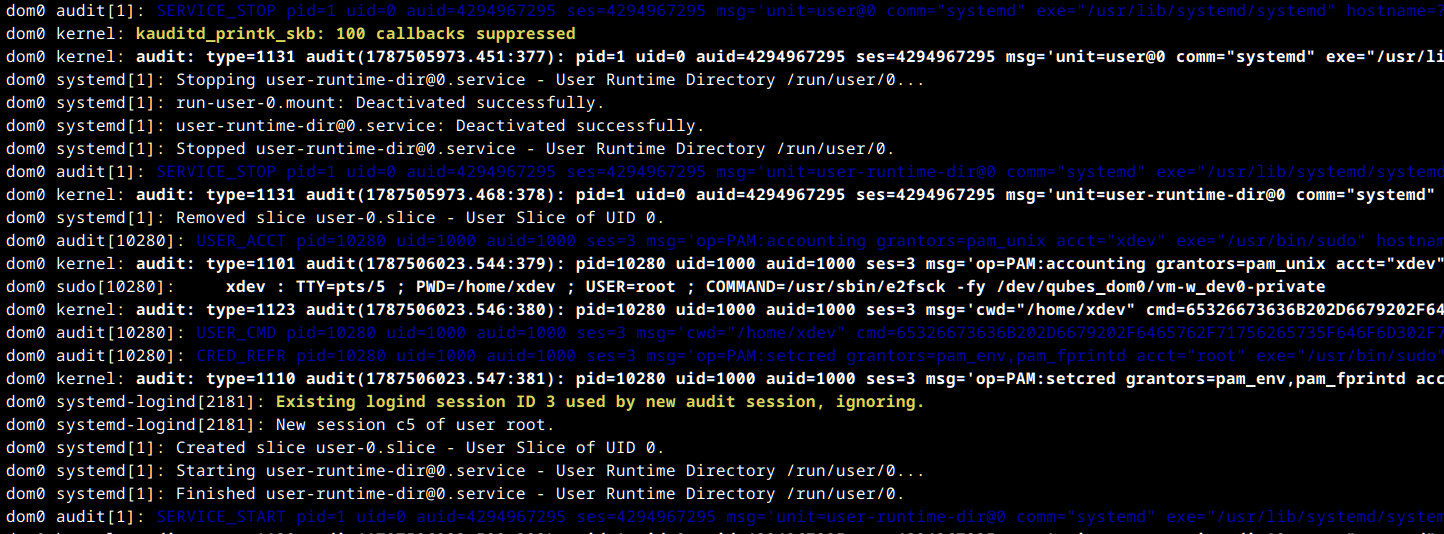
This is a short operator handbook, used to understand and execute troubleshooting in Linux FS, due to the nature of a shared kernel for administration or a dedicated virtual machine in the hyper-xen context like works in Qubes OS, the type of resolution approach resides in the ability to handle the binding from the syscall, in which case the actual identification of the origin cause can differ.
Context / File System Denial of Service (FSDoS)
At some point the temporal cache could be broken with actions that are locking the actual path, this happens when the data buffer process gets corrupted, in which case the EUCLEAN / EFSCORRUPTED issue makes the appear, a type of issue coming from a security measure in place from the kernel to disconnect the structure access from the kernel, a critical enforcement to keep the integrity of the data.
In resume, if one operation executed causes a buffer overflow through one of the objects in the file system, it will trigger a controlled panic, this to contain
the possible impact in any other region of the disk, so enables a temporal lock-down that can not be bypassed, until the block space gets repaired, in fact, any
call made to syscall will be locked by design, a general scenario it is la disk running out of space, meanwhile a cache process gets running causing orphans inodes.
Eventually the disk requires to be unmounted and repaired, which can cause a temporal disruption to use that locked path, this is a persistent inmunity that can be exploited.
Mixed Catalysts
- Intentional Object Cache Corruption / Race Conditions: Memory flaws, due to processes not being correctly deferred, eventually can be possible to create a race condition during file copying or linking, tricking the kernel through exhaustion.
- Fuzzing on Syscall: Kernel floods coming from legitimate API calls that are actively interacting with the kernel space.
- Injecting Faux Blocks: Dynamic allocation used to shrink and corrupt an active loop device.
Repair disk / Containment action
- Isolate the actual network used, and prepare the changes according to the type of the virtual machine.
- Repair file disk and make a backup of the content, then deploy a new resource.
Hyper-Xen
- Shutdown VM (QubeOS ONLY)
qvm-shutdown --wait <QUBEVM> - Open a terminal in dom0 and execute
sudo lvsThis command will show you the actual paths used for each VM disk, which gives the possibility to eventually mount it or map access that will not be allowed during the instance being mounted and running.
- Now, with the path identified correctly, you can repair the unit based in the format, this is for EXT4
sudo e2fsck -fy /dev/qubes_dom0/<YOUR DISK PATH-private / root> - In XFS you can use:
sudo losetup -a
sudo xfs_repair <LOOP_PATH>
System will validate the super block and fix any issue present in the disk.
- You can run again the VM without network, and try
rm -rf <path>over the object, if you are expecting to identify the process attached to the content, you can use:sudo fuser -vm <PATH>It should throw all the process that are actually handling a possible an exclusive kernel lock, if you see a process with the letter ‘i’ means that it is inmutable or ‘a’ means add, both are red flags
- If you have a process running blocking the actual file, you can use:
sudo lsof +D <PATH> - If the answer gives you a PID, then you can kill the process with:
sudo kill -15 <PID> - If you have a folder being used as mount point you can kill it by executing:
sudo fuser -vkiM <PATH> - Then run the VM and open a new terminal:
rm -rf <PATH>App VM
- If it doesn’t allow the deletion of the object, you need to double check that you don’t have a persistence linked in any of the configuration files used by the AppVM:
sudo nano /etc/qubes-bind-dirs.d/50_user.confLook for any reference calling the persistence path or object
Conclusion
We are not discussing in focus what implies this type of detection, but in general keep present that a eBPF rootkit will not be detected through the general network suite tools, a type of detection through maps is only possible with active enforcement of the network monitoring from the kernel space side, this is a place where stealthy proccesses can be allocated without triggering any alert, due to the use of the interface context and the BTF structural validation map that should be injected first.